
New name, same app · formerly Last Journal

Write the day down in seconds.

Tamsi is a quick, private journal for Android. A thought, a to-do, a feeling or a photo, saved before the moment is gone. Then back to your day.

Free to use · No account needed · Android 8.1 and up

No ads

Not now, not later. No ad trackers either.

No account needed

Your journal lives on your phone and works offline.

No AI reading entries

Nothing you write is fed to an AI.

Encrypted backups

Encrypted on your phone before they're uploaded.

How it works

Small enough to use every day.

Open, write a line, close. Tamsi keeps the friction out so the habit can stay.
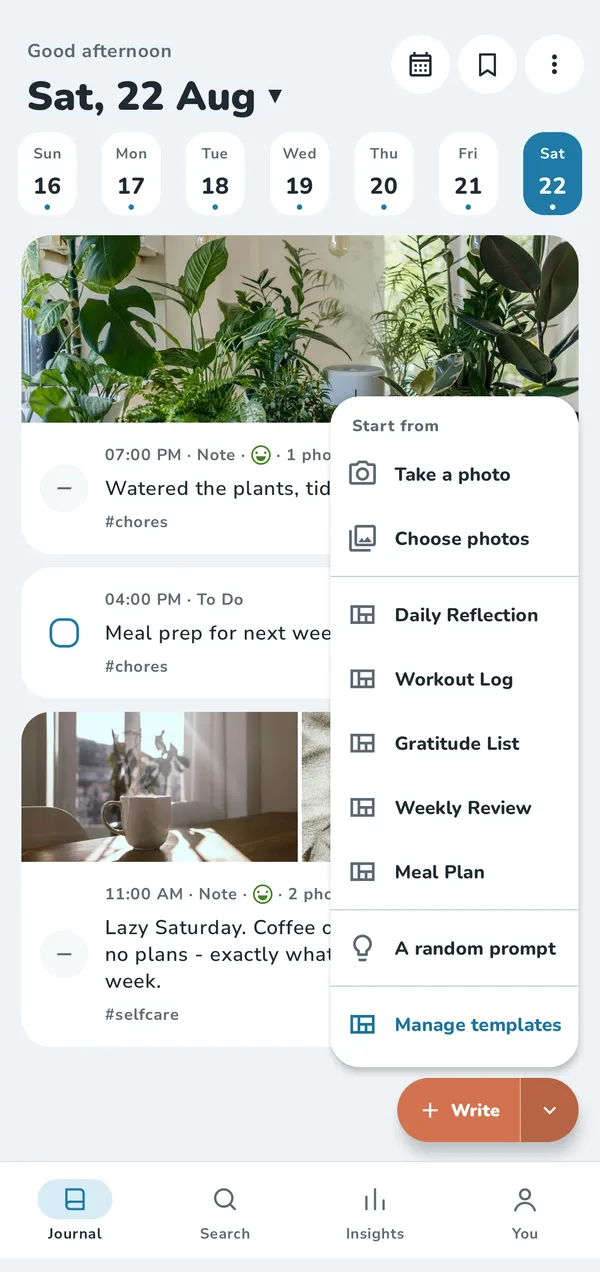
The Journal screen with the Write menu open: take a photo, choose photos, templates and a random prompt

Writing

One tap to write.

Tap Write and a fresh page is ready with the keyboard up. Or start from a photo, a template or a prompt.
  • Templates for the things you log often
  • A home-screen widget and a Quick Settings tile
  • Daily reminder at the time you choose
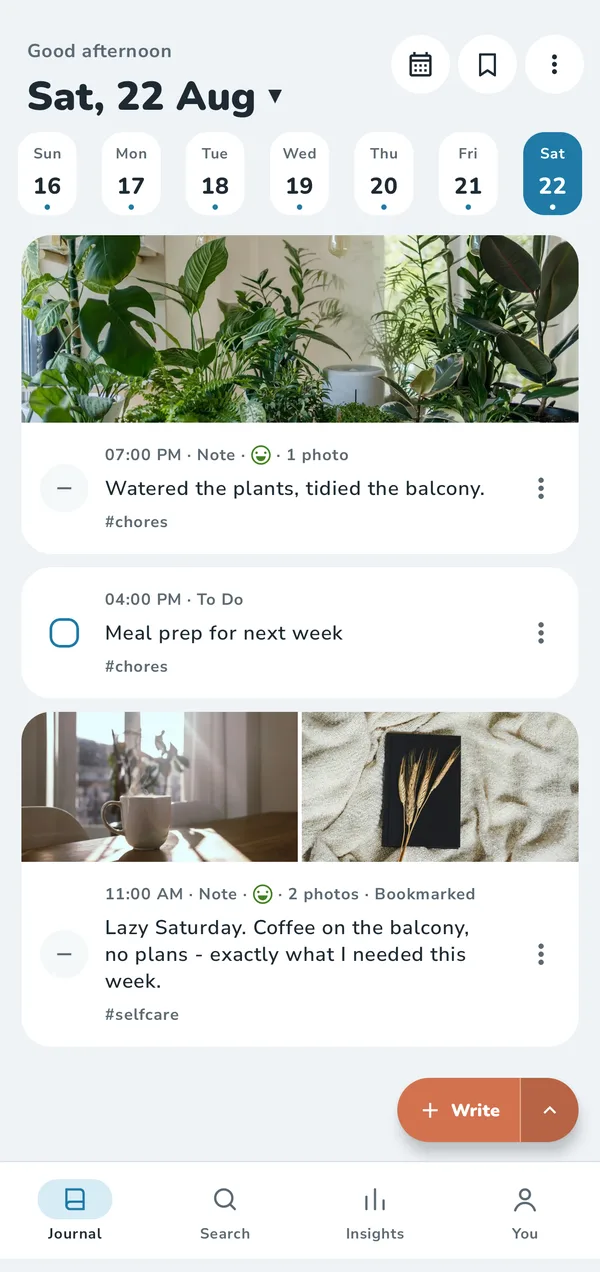
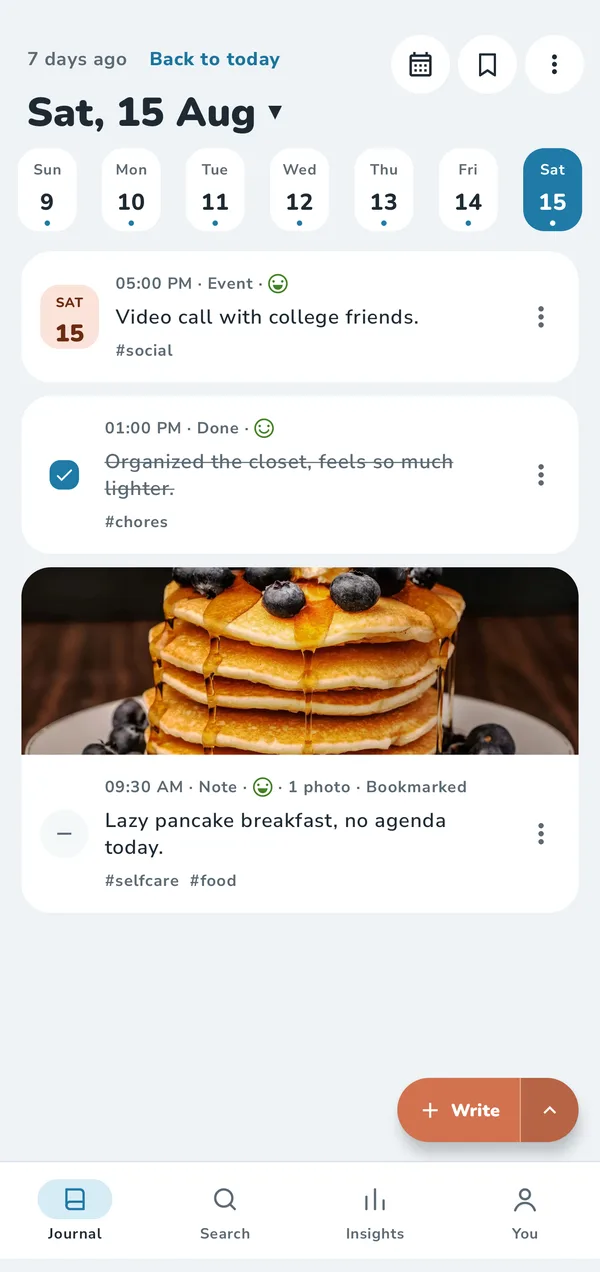
A week in the journal: an event, a finished to-do and a photo note

Your day, your way

Notes, to-dos, done and events.

Log the day the way it happened. Each entry can carry a mood and tags, and your week is one tap away.
  • To-dos you can tick off, with unfinished ones moved to today if you like
  • Search, saved searches and Insights
  • On this day: what you wrote in past years
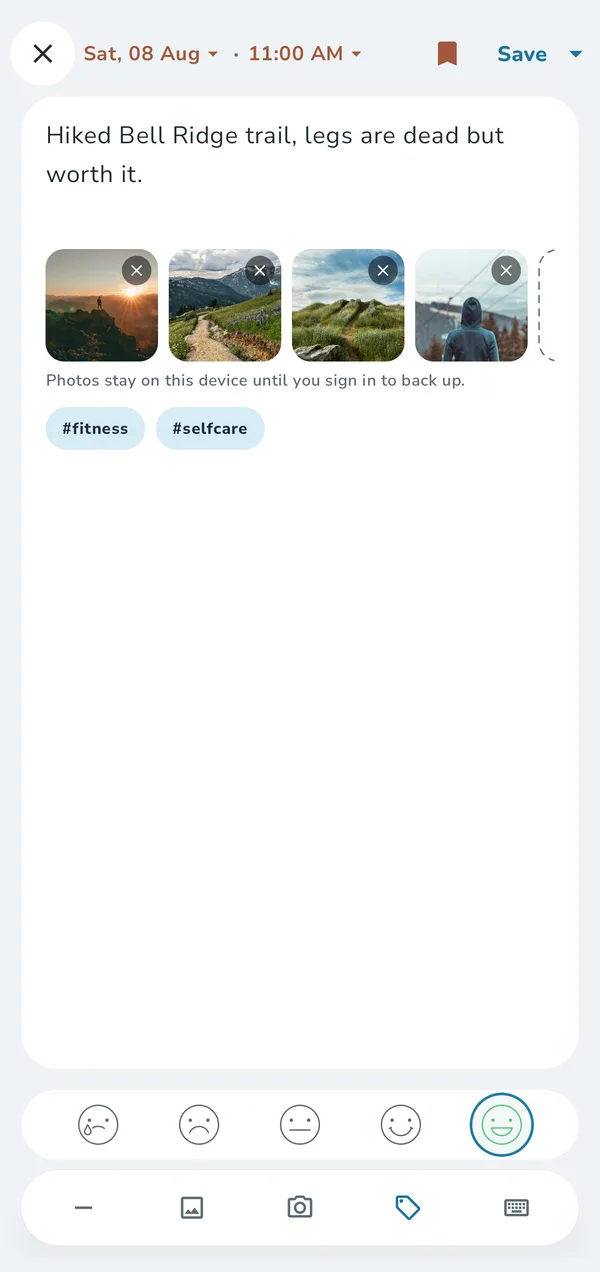
An entry about a hike with four photos, a mood and two tags

Photos

The photos that made the day.

Add photos to any entry, or share them in from your gallery and other apps.
  • Location and camera details are removed from the copy Tamsi keeps
  • Your original photos stay untouched in your gallery
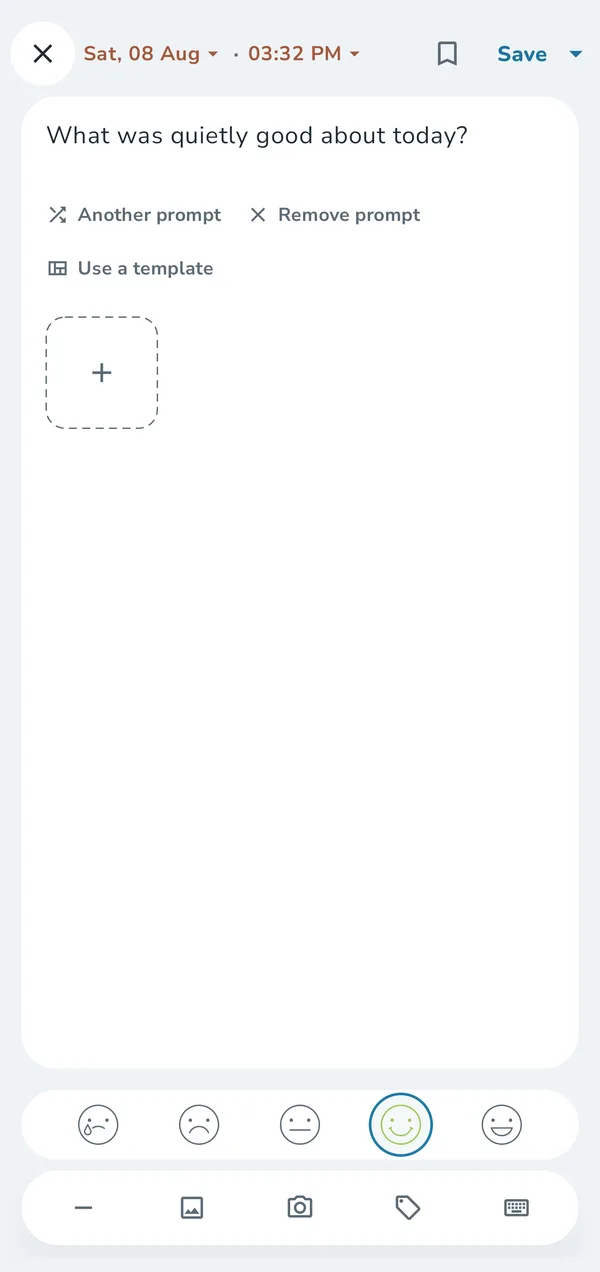
A new entry that starts with the prompt: What was quietly good about today?

Prompts

Stuck? Ask for a prompt.

A gentle question to get you going, like “What was quietly good about today?” Swap it or remove it.

  • One tap for another prompt
  • Turn any entry into a reusable template

Privacy

Locked, and backed up your way.

Your journal is yours. Here's what that means in practice.

Read the Privacy Policy
  • Lives on your phone

    No account needed. Everything works offline, and your entries stay on your phone unless you turn on backups.

  • Encrypted before upload

    Backups and photos are encrypted on your phone, then stored only in encrypted form. Add a backup password for even stronger encryption.

  • Locked with your fingerprint

    App lock uses your phone's own fingerprint, face or PIN check. We never receive it.

  • Easy to take with you

    Export to RTF, PDF or a portable ZIP any time, or import from Day One, Obsidian and Markdown.

Free and Premium

Everything you need is free.

Premium adds automatic backups and more space for photos. Billed monthly or yearly through Google Play; the price for your country is shown in the app.

Free

$0 forever

  • Unlimited entries and photos on your phone
  • Templates, prompts, reminders and app lock
  • Manual encrypted backups, newest 5 kept
  • 15 MB of photo backup space
  • Export to RTF and ZIP · Insights for the last 30 days

For daily writers

Premium

Monthly or yearly via Google Play

  • Everything in Free
  • A daily automatic backup
  • 1 GB of photo backup space
  • More backups kept: 25 manual and 15 automatic
  • PDF export · Insights for any date range

Cloud backup needs a free account. New subscribers may get a free trial; the app shows when billing starts. Cancel any time in Google Play. More about Premium

Questions

Good to know.

Is Tamsi the same app as Last Journal?

Yes. Tamsi is Last Journal's new name. Your entries, backups and Premium carry over as they are; there's nothing to do.

Do I need an account?

No. Tamsi works fully without one. An account is only for encrypted cloud backups, and you can add it any time.

Can you read my backups?

Backups are encrypted on your phone before upload and stored only in encrypted form, and we don't look at their contents. For even stronger encryption, add a backup password. How encryption works

How do I move to a new phone?

Back up on the old phone, sign in the same way on the new one, and restore. Step by step

All help topics →

Start today's page.

Free on Google Play. Your first entry takes seconds.

Get it on Google Play